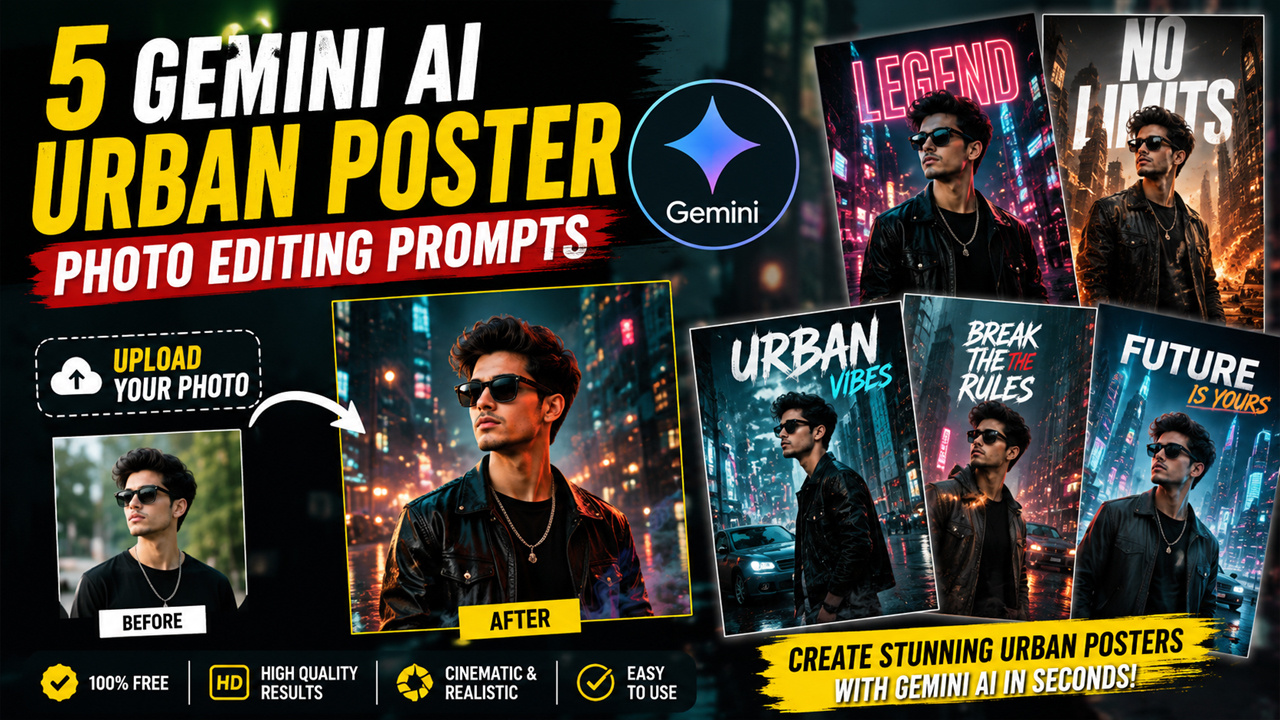
5 Gemini AI Urban Poster Photo Editing Prompts
Prompt Variants (5 variants)
Prompt 1 – Cinematic City Poster
Prompt 2 – Luxury Fashion Billboard
Prompt 3 – Neon Street Portrait
Prompt 4 – Action Movie Poster
Prompt 5 – Cyberpunk Urban Poster
Overview
5 Best Gemini AI Urban Poster Photo Editing Prompts (Upload Your Photo)
If you've been scrolling through Instagram, TikTok, or Pinterest, you've probably seen those stunning urban-style AI posters featuring glowing neon lights, dramatic shadows, bold typography, and cinematic city backgrounds. The good news is that you don't need Photoshop skills to create these eye-catching edits anymore.
With Google Gemini AI, you can upload your own photo and generate professional-looking urban posters in just a few seconds. Whether you want a street-style portrait, luxury fashion poster, cyberpunk artwork, or premium magazine cover, the right prompt makes all the difference.
In this article, you'll find 5 powerful Gemini AI Urban Poster Photo Editing Prompts that are designed to produce high-quality, realistic results.
Tip: Upload a clear, high-resolution portrait before using any prompt for the best outcome.
How to Use These Gemini AI Prompts
Using these prompts is very simple.
Open Google Gemini.
Upload your clear portrait.
Copy any prompt from this page.
Paste it into Gemini AI.
Click Generate.
Wait a few seconds while Gemini creates your urban poster.
For the best results, use a front-facing portrait with good lighting and a plain background.
Tips for Better AI Results
Upload a high-resolution image.
Use natural lighting in your photo.
Avoid blurry or low-quality pictures.
Wear stylish clothing for better fashion posters.
Generate multiple versions and choose the best one.
Add your name in the prompt if you want personalized poster text.
Why Urban Poster AI Photos Are Trending
Urban poster edits have become one of the biggest AI photography trends because they combine realistic portraits with cinematic city environments. These images are widely used for:
Instagram profile pictures
YouTube thumbnails
WhatsApp DP
Gaming profiles
Social media branding
Fashion portfolios
Personal posters
With Gemini AI, creating these premium edits is now faster than traditional photo editing.
Frequently Asked Questions
Can I use these prompts for free?
Yes. If your version of Gemini supports image generation, you can use these prompts without editing experience.
Do I need Photoshop?
No. Gemini AI generates the poster automatically from your uploaded image.
Which photo works best?
A clear, front-facing portrait with good lighting produces the highest-quality results.
Can I change the background?
Yes. You can replace "modern city" with any location, such as Tokyo, New York, Dubai, London, or Paris.
Can I use these images on social media?
Yes. They are perfect for Instagram, Facebook, X, TikTok, YouTube, and other social platforms.
Final Thoughts
Urban poster editing is one of the easiest ways to transform an ordinary portrait into a professional-looking digital artwork. By combining your uploaded image with the right Gemini AI prompt, you can create cinematic city posters, luxury fashion advertisements, cyberpunk portraits, and action movie-style artwork in minutes.
Try all five prompts, experiment with different city backgrounds, and generate unique AI posters that stand out on social media.
Image



