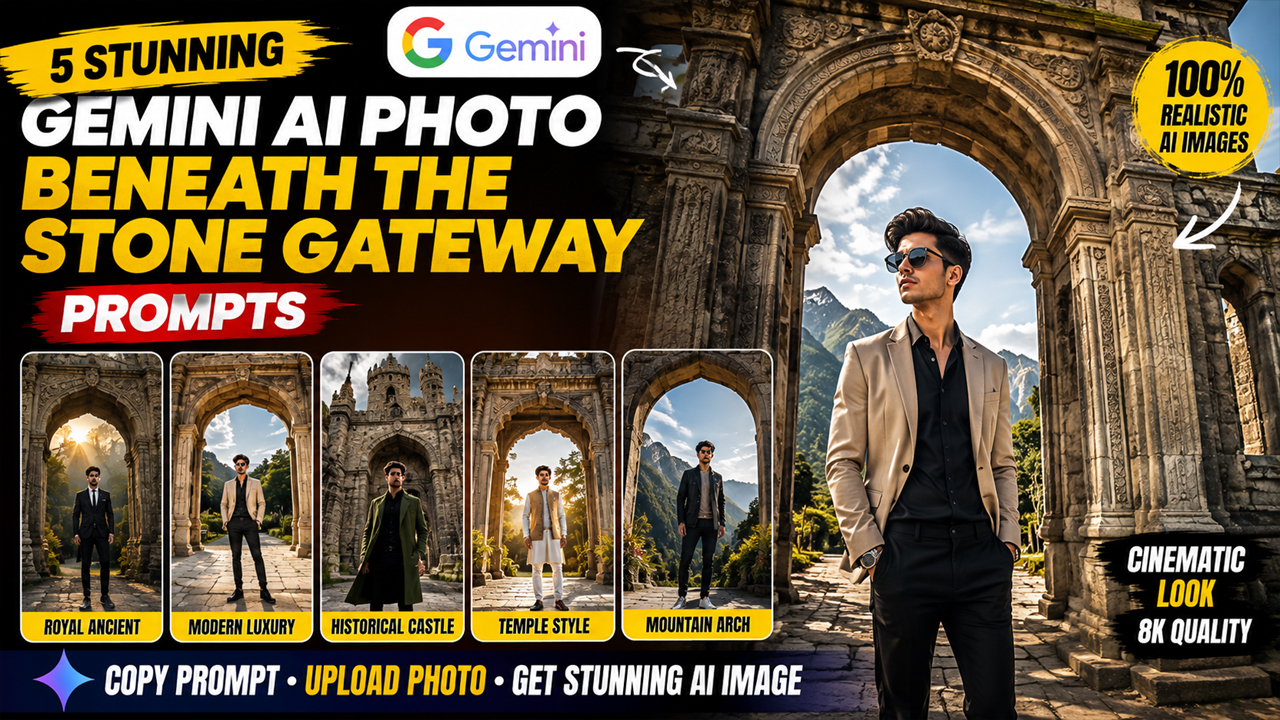
5 Stunning Gemini AI Photo Beneath the Stone Gateway Prompts
Prompt Variants (5 variants)
Prompt 1 – Royal Ancient Stone Gateway
Prompt 2 – Modern Luxury Stone Entrance
Prompt 3 – Historical Castle Gateway
Prompt 4 – Temple Style Stone Gateway
Prompt 5 – Grand Mountain Stone Arch
Overview
5 Stunning Gemini AI Photo Beneath the Stone Gateway Prompts
AI-generated portraits have become one of the biggest trends among creators, influencers, and social media users. Instead of ordinary backgrounds, people now prefer cinematic scenes that look like they were captured by a professional photographer. One of the most eye-catching styles is standing beneath a massive stone gateway, where ancient architecture meets modern fashion.
A beautifully designed stone gateway instantly adds depth, luxury, and mystery to any portrait. Combined with realistic lighting, high-detail textures, and a stylish outfit, the result looks premium without appearing fake or overly AI-generated.
In this article, you'll discover five original Gemini AI prompts designed to create stunning portraits beneath elegant stone gateways. Each prompt focuses on realism, balanced lighting, and natural colors so the final image looks authentic rather than artificial.
Tip: Upload a clear front-facing photo before using these prompts in Gemini for the most accurate face replacement.
How to Use These Prompts
Open Google Gemini.
Upload your clear portrait or selfie.
Copy any prompt from above.
Paste it into Gemini along with your uploaded image.
Generate the image and refine if needed.
Tips for the Best Results
Upload a high-resolution front-facing image.
Avoid blurry or low-light selfies.
Use natural facial expressions.
Keep prompts unchanged for consistent quality.
If needed, regenerate the image once or twice for the best composition.
Conclusion
Stone gateway portraits offer a timeless and premium aesthetic that combines classic architecture with modern fashion. These prompts are designed to produce realistic, cinematic images with balanced lighting, detailed stone textures, and natural-looking backgrounds. Whether you're creating content for Instagram, YouTube, or your personal portfolio, these Gemini AI prompts can help you generate impressive results while maintaining a realistic appearance.
Image



