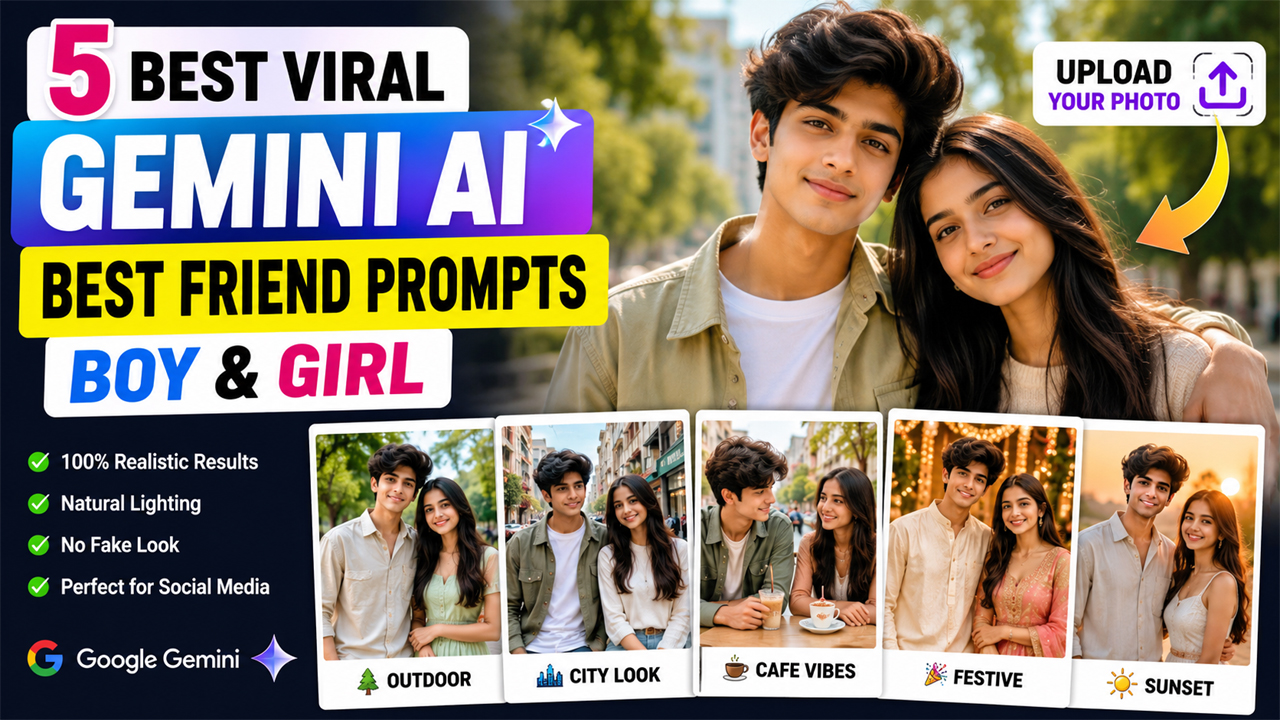
Gemini AI Best Friend Prompts for Boy and Girl
Prompt Variants (5 variants)
1. Natural Outdoor Best Friend Portrait
If you want a simple and realistic best-friend photo, an outdoor setting works extremely well. Natural daylight can make the final image look much more believable.
2. Stylish City Best Friend Photo
Want something more modern? A city environment can give your friendship photo a fashionable social-media aesthetic without making it look artificial.
3. Casual Café Best Friend Moment
A relaxed café scene can create a warm and natural friendship picture. Instead of making the image overly dramatic, this prompt keeps the atmosphere bright and realistic.
4. Festive Best Friend Portrait
For special occasions, you can give your best-friend photo a festive makeover while keeping the people and environment realistic.
5. Premium Sunset Best Friend Photoshoot
A sunset photoshoot can create a beautiful image, but the lighting needs to remain natural. This prompt uses soft golden-hour lighting without making the background too dark.
Overview
5 Best Viral Gemini AI Best Friend Prompts for Boy and Girl
Best-friend photos are one of the most popular ideas for AI photo editing because they can turn a simple selfie into a stylish and memorable portrait. If you have a photo with your best friend and want to give it a fresh social-media-ready look, Google Gemini can help you create realistic photo edits with the right prompt.
The biggest difference between an average AI-generated image and a high-quality result is the prompt. A good prompt should clearly describe the pose, clothes, expressions, camera style, lighting, background and overall mood. It should also tell the AI to preserve the natural appearance of the people in the uploaded photo.
In this guide, you will find 5 original Gemini AI best friend prompts for a boy and girl. These prompts are designed for realistic friendship portraits rather than artificial-looking AI images.
You can upload your own photo with your best friend and use one of the prompts below. For the best result, use a clear, high-resolution image where both faces are visible.
How to Use These Gemini AI Best Friend Prompts
Using these prompts is simple.
Step 1: Choose Your Best Photo
Select a clear photograph of you and your best friend. A photo with good lighting and visible faces usually produces better results.
Step 2: Upload the Photo to Gemini
Open Google Gemini and upload the image you want to edit.
Step 3: Copy One Prompt
Choose one of the five prompts from this article and paste it along with your uploaded photo.
Step 4: Generate the Image
Ask Gemini to create the edited image. If the first result does not look right, you can request specific improvements instead of starting from scratch.
For example:
Keep our faces exactly natural and improve the lighting, background and clothing while maintaining realistic proportions.
Step 5: Improve the Result
If the background is too dark, ask Gemini to make it brighter. If the skin looks artificial, ask for natural skin texture. If the pose looks uncomfortable, request a relaxed friendship pose.
Tips for Getting Better Gemini AI Photos
Use a Clear Original Image
A sharp image with visible faces gives the AI more information to work with.
Avoid Very Dark Source Photos
If your original image is extremely dark or blurry, the generated result may also have problems.
Keep the Background Natural
Bright outdoor locations, cafés, parks and modern streets generally work well for realistic friendship portraits.
Don't Overuse Effects
Too much cinematic lighting, glowing effects or extreme color grading can make an AI image look fake.
Ask for Natural Skin
Adding instructions such as "realistic skin texture" and "natural facial details" can help prevent an overly smooth appearance.
Check Hands and Faces
AI-generated images can sometimes produce mistakes in hands, fingers or facial details. Always check the final result before posting it.
Why Gemini Best Friend Prompts Are Trending
AI photo editing has made it possible to transform ordinary photographs into completely different visual styles without needing professional photography equipment.
Best-friend prompts are particularly popular because they can create different versions of the same memory. A simple photo can become an outdoor lifestyle portrait, city photoshoot, café moment, festive picture or golden-hour portrait.
The key is to keep the prompt detailed while still asking for a natural photographic appearance. Instead of filling the prompt with hundreds of unnecessary effects, focus on the things that actually affect the final image: identity, pose, clothes, location, lighting, camera style and realism.
Frequently Asked Questions
Can I use these prompts with my own photo?
Yes. These prompts are designed to be used with an uploaded photo of the boy and girl. For the best results, choose a clear image where both people are visible.
Can I change the clothes in these prompts?
Yes. You can replace the clothing instructions with your preferred outfit, such as a hoodie, formal suit, traditional clothes, denim outfit or summer clothing.
How can I make the background brighter?
Add an instruction such as "use bright natural daylight and keep the background clearly visible with balanced exposure."
Why does my AI image sometimes look fake?
This can happen because of excessive effects, poor source images or unrealistic instructions. Ask for natural skin texture, realistic proportions, authentic lighting and professional photography.
Can I use these prompts for Instagram?
Yes. The generated portraits can be used for social-media posts after checking the final image and making sure you have the necessary rights to the original photo.
Can I create different poses?
Absolutely. You can ask Gemini for a walking pose, sitting pose, casual standing pose, laughing pose, shoulder-to-shoulder pose or another natural friendship pose.
Should I use a high-quality photo?
Yes. A clear, well-lit source image generally gives the AI more useful visual information.
Final Thoughts
Creating a stylish best-friend photo no longer requires an expensive photoshoot. With the right Gemini prompt and a good source image, you can experiment with different locations, outfits, poses and photography styles.
The five prompts above focus on realistic faces, natural skin, balanced lighting and attractive backgrounds instead of excessive AI effects. Whether you prefer an outdoor portrait, modern city look, café moment, festive scene or golden-hour photoshoot, you can choose the style that matches your personality.
For the most natural result, always start with a clear photograph and make small changes to the prompt when needed. A simple, realistic instruction often produces a much better result than adding too many effects.
Image



