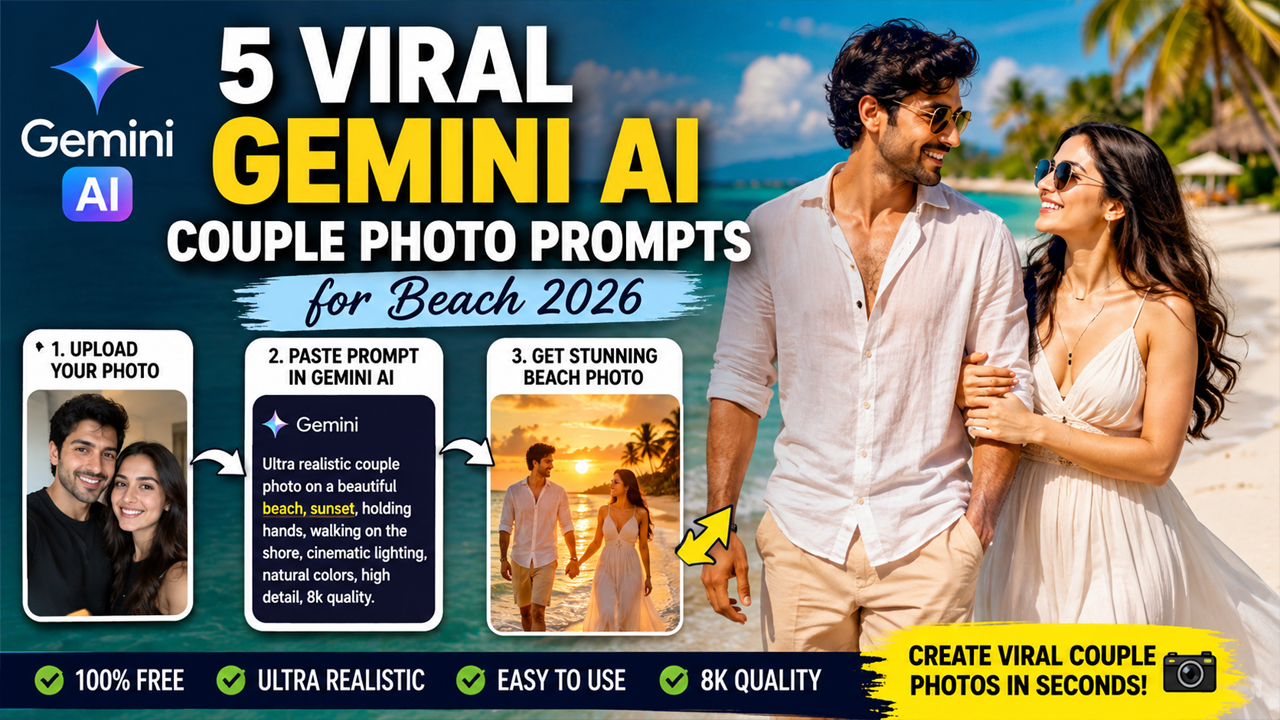
Gemini AI Couple Photo Prompts for Beach 2026
Prompt Variants (5 variants)
Prompt 1 – Golden Sunset Beach Romance
This prompt focuses on soft golden-hour lighting, which is the easiest way to make AI-generated images appear realistic. Instead of harsh lighting or dark skies, the warm sunset creates natural skin tones and beautiful reflections on the water.
Prompt 2 – Luxury Tropical Beach Vacation
Bright tropical daylight produces cleaner and sharper results. White sand, green palm trees, and turquoise water create a premium travel look while keeping the image natural and visually appealing.
Prompt 3 – Cinematic Ocean Walk
Instead of adding dramatic AI effects, this prompt focuses on natural movement, realistic reflections, and magazine-style photography. The result looks like a genuine vacation photo rather than an AI creation.
Prompt 4 – Luxury Yacht Beach Couple Photoshoot
This prompt creates a premium Maldives-style vacation look. The bright environment, clean white tones, and realistic lighting make the image look like it was captured by a professional photographer instead of AI.
Prompt 5 – Dreamy Sunrise Beach Couple Portrait
Most AI images fail because they use dramatic lighting and overly saturated colors. This prompt focuses on soft sunrise lighting, natural reflections, and realistic clothing movement, making the final result look authentic.
Overview
Introduction
Beach couple photos have become one of the biggest AI photo editing trends in 2026. Thousands of creators are using Google Gemini AI to transform ordinary selfies into breathtaking beach portraits that look like they were captured by a professional photographer.
The best part is that you don't need expensive cameras, luxury vacations, or professional editing skills. Simply upload your own couple photo to Gemini AI, paste a well-written prompt, and let the AI generate a stunning cinematic beach scene.
If you want your AI images to look realistic instead of obviously AI-generated, the prompt matters more than anything else. Good lighting, natural skin tones, soft shadows, realistic ocean colors, and detailed clothing descriptions make a huge difference.
In this article, you'll discover five premium Gemini AI prompts designed specifically for beach couple photography. Each prompt focuses on bright natural lighting, clean backgrounds, realistic skin textures, and luxury travel aesthetics so the final image looks authentic rather than artificial.
Tips for Better Gemini AI Results
To get the best-looking beach couple photos, always upload a clear, high-resolution image where both faces are visible. Use photos taken in daylight whenever possible, since Gemini can preserve facial details more accurately.
Avoid prompts that ask for extremely dramatic lighting, neon colors, or overly dark backgrounds. Bright natural sunlight, golden-hour tones, and balanced color grading consistently produce more realistic images.
When describing clothing, choose simple, elegant outfits such as linen shirts, summer dresses, or casual beachwear. Minimal accessories often help the AI focus on facial realism and natural body proportions.
How to Use These Gemini AI Prompts
Open Google Gemini AI.
Upload a clear, high-resolution couple photo.
Copy any one of the prompts from this article.
Paste the prompt into Gemini.
Generate the image.
If needed, regenerate once or twice for an even better composition.
Tips for Ultra-Realistic AI Images
Always upload a bright, high-quality photo.
Keep both faces clearly visible.
Use daylight photos for the best facial accuracy.
Avoid dark or low-resolution images.
Choose simple clothing instead of heavy patterns.
Use prompts mentioning natural lighting, HDR, DSLR photography, and realistic skin texture.
Avoid words like "fantasy", "cartoon", or "anime" if you want realistic results.
Bright beaches, blue skies, and balanced colors usually produce the most natural-looking AI images.
Frequently Asked Questions
Can I use these prompts for free?
Yes. If your version of Google Gemini supports image generation, you can use these prompts without modification.
Should I upload my own photo?
Yes. Uploading your own couple photo helps Gemini preserve your facial features and create a personalized result.
Why do some AI images look fake?
Most fake-looking results happen because of poor prompts, dark lighting, or low-quality uploaded photos. Using detailed prompts with realistic lighting improves the outcome significantly.
Which lighting gives the best results?
Golden hour, soft morning sunlight, and bright daylight are the best choices for natural-looking AI beach portraits.
Can I change the outfits?
Absolutely. You can replace the clothing description in any prompt with your preferred outfit while keeping the rest of the prompt unchanged.
Can I use these images on Instagram?
Yes. AI-generated images created from your own uploaded photos can be shared on Instagram, Facebook, or other social media platforms, subject to the platform's policies.
Conclusion
Beach couple photography remains one of the most popular AI photo editing trends in 2026, and Google Gemini makes it easier than ever to create stunning travel-style portraits without expensive cameras or professional editing software.
The five prompts shared in this guide are designed to produce bright, natural, and highly realistic beach images with clean lighting, balanced colors, and premium travel aesthetics. Whether you prefer a romantic sunset, a tropical vacation, a luxury yacht backdrop, or a dreamy sunrise scene, these prompts can help you create eye-catching AI portraits in just a few minutes.
Upload a clear couple photo, choose your favorite prompt, and let Gemini transform your image into a beautiful cinematic beach memory.
Image



