Gemini Girls Saree Haveli Prompts Girls Love
Prompt Variants (5 variants)
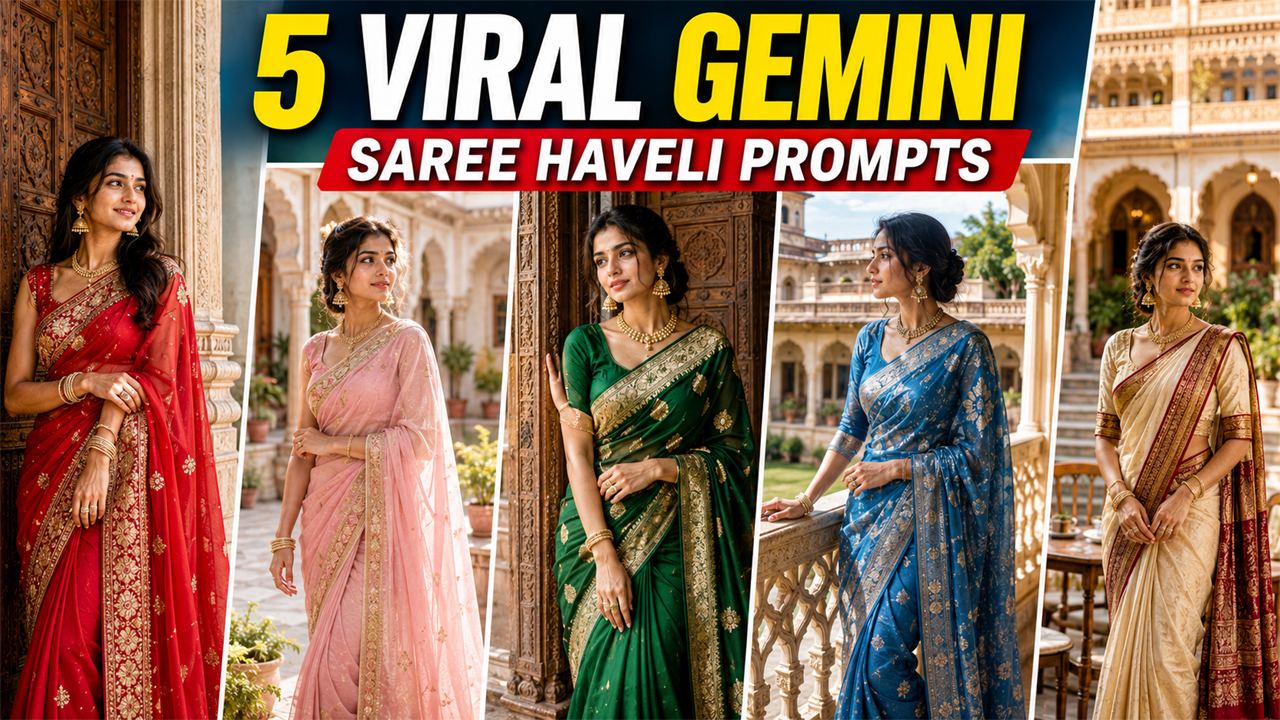
1. Royal Saree Portrait in a Heritage Haveli
2. Pastel Saree at a Bright Haveli Courtyard
3. Elegant Saree Look Beside a Carved Haveli Door
4. Traditional Saree Portrait on a Haveli Balcony
5. Luxury Haveli Evening Saree Photoshoot
Overview
5 Viral Gemini Girls Saree Haveli Prompts
Traditional fashion and heritage-style photography have become a popular choice for AI photo editing. A simple saree portrait can be transformed into a beautiful royal-looking photograph when you combine the right outfit, pose, architecture, lighting, and camera details.
One of the most attractive combinations is a traditional saree with a beautiful Indian haveli background. The old architecture, carved doors, balconies, warm walls, and elegant styling can give an image a timeless and luxurious appearance.
With Google Gemini, you can upload your own photo and use a detailed prompt to create this type of portrait while keeping the person recognizable.
Below are five original Gemini Girls Saree Haveli Prompts designed for realistic, bright, elegant, and natural-looking results.
How to Use These Gemini Saree Prompts
Using these prompts is simple. You don't need professional photo-editing skills.
Step 1: Choose Your Favorite Prompt
Select one of the five prompts according to the look you want. For example, choose the balcony prompt if you want an elegant outdoor heritage portrait.
Step 2: Upload Your Photo
Open Google Gemini and upload a clear photo of yourself. A front-facing or slightly angled image with good lighting usually works better.
Step 3: Paste the Prompt
Copy the complete prompt and paste it along with your uploaded image.
Step 4: Let Gemini Generate the Image
Gemini will interpret the outfit, pose, environment, lighting, and photography instructions and generate the edited image.
Step 5: Improve the Result
If the first result doesn't look right, ask Gemini to make specific changes instead of completely changing the prompt.
For example:
Make the background brighter and more detailed while keeping my face and saree unchanged.
Or:
Keep the same composition but make the lighting more natural and improve the realistic texture of the saree.
Tips for Better Gemini Saree Photos
Use a Clear Original Photo
A sharp source photo generally gives better facial details. Avoid heavily blurred or extremely low-resolution images.
Keep Lighting Natural
If your original photograph has reasonable lighting, Gemini can generally interpret facial details more effectively.
Don't Overload the Prompt
Detailed instructions are useful, but adding too many conflicting requirements can make the result inconsistent.
Ask for Natural Skin
For realistic results, phrases such as natural skin texture, realistic facial details, and professional photography can help avoid an overly artificial appearance.
Keep the Background Bright
If you want a beautiful haveli portrait rather than a dark cinematic image, explicitly request:
bright natural lighting, balanced exposure, clearly visible architecture, soft shadows, and a clean detailed background.
This helps keep the heritage environment attractive and visible.
Why Saree + Haveli AI Photos Look So Good
A saree naturally works well with traditional Indian architecture because both elements have strong visual details.
The saree provides color, texture, and movement, while the haveli creates depth through arches, balconies, carved doors, pillars, and heritage patterns.
When combined with natural lighting and realistic photography instructions, the result can resemble a professional fashion shoot taken at a luxury heritage location.
The key is balance. Too much jewelry, excessive lighting, extreme blur, or very dark backgrounds can make an AI-generated image look artificial. A cleaner styling approach generally produces a more believable photograph.
Frequently Asked Questions
Can I use these prompts with my own photo?
Yes. These prompts are designed to be used with an uploaded reference photo. Upload a clear image and then provide the selected prompt.
How can I make the haveli background brighter?
Add instructions such as bright natural daylight, balanced exposure, visible architectural details, soft shadows, and no dark background.
Can I change the saree color?
Yes. You can replace the saree color in the prompt with colors such as red, green, blue, pink, maroon, cream, lavender, or any other shade you prefer.
How do I make the image look more realistic?
Ask Gemini for realistic skin texture, natural facial details, accurate hands, realistic fabric folds, natural lighting, and professional camera photography.
Can I create a full-body saree photo?
Yes. Add full-length portrait or full-body fashion photograph to the prompt and describe the desired pose.
Why does my AI image sometimes look too dark?
AI image generators may interpret words such as cinematic, dramatic, moody, or evening as low-light photography. If you want a brighter image, specifically mention well-lit environment, bright natural ambient light, balanced exposure, and clearly visible background.
Can I use a different traditional location?
Absolutely. Instead of a haveli, you can request a palace courtyard, heritage mansion, traditional Indian street, fort architecture, temple-style courtyard, or luxury heritage hotel.
Final Thoughts
These 5 Viral Gemini Girls Saree Haveli Prompts are designed to create elegant traditional portraits without making the scene unnecessarily dark or artificial. The combination of a stylish saree, heritage architecture, natural lighting, and professional photography details can produce a much more attractive result.
For the best outcome, start with a clear personal photo and make small adjustments after the first generation. You can experiment with different saree colors, poses, haveli settings, and lighting conditions while keeping the overall photography style natural.
The most important thing is to focus on realistic lighting, natural skin, accurate facial details, authentic saree texture, and a clearly visible background. These details help the final image look more like a genuine professional photograph instead of an obviously AI-generated picture.
Image