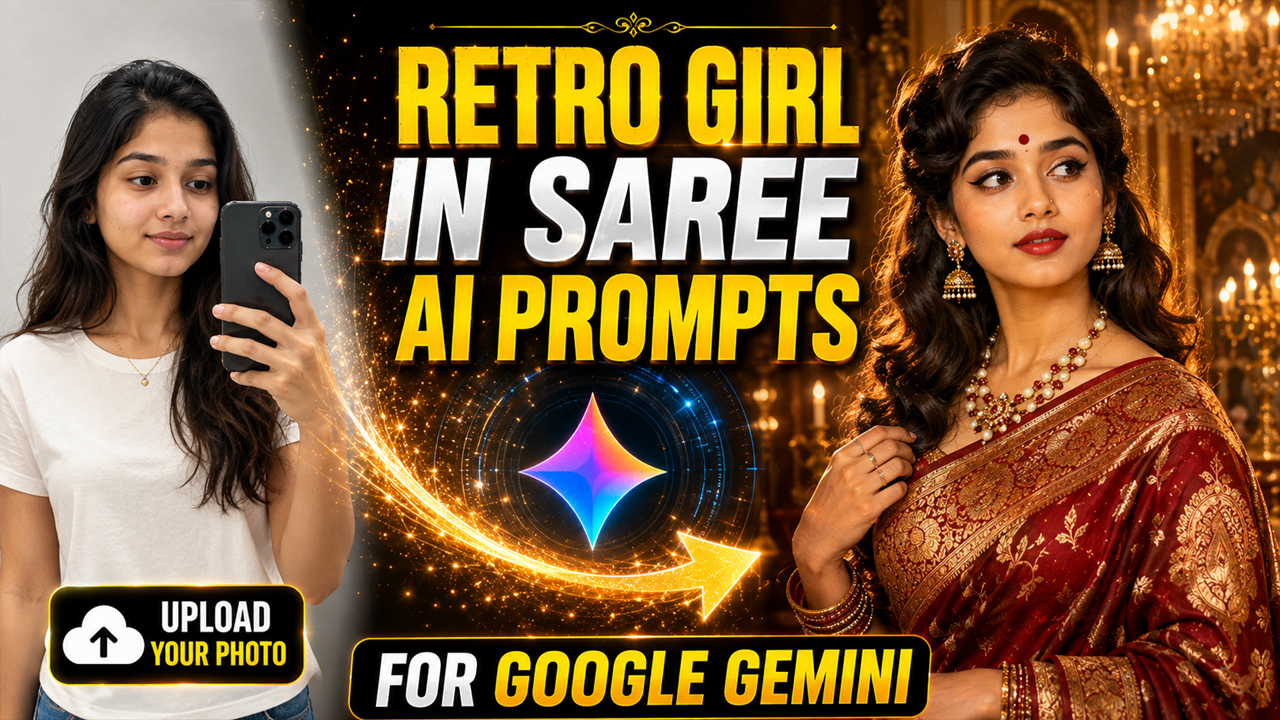
Retro Girl In Saree AI Prompts for Gemini
Prompt Variants (5 variants)
Prompt 1 – Classic 1970s Bollywood Retro Look
This prompt focuses on recreating the timeless elegance of classic Bollywood. The warm colors, vintage styling, and cinematic lighting produce portraits that look like professionally restored film photographs.
Prompt 2 – Elegant Retro Village Beauty
If you love peaceful vintage photography, this prompt delivers soft natural lighting with authentic Indian cultural elements. It creates portraits that feel nostalgic while remaining realistic.
Prompt 3 – Royal Retro Saree Portrait
This prompt creates a luxurious royal appearance inspired by vintage Indian heritage. Rich textures, palace interiors, and cinematic lighting help produce premium-quality AI portraits perfect for social media or personal collections.
Prompt 4 – Vintage Monsoon Saree Look
This prompt blends nostalgic monsoon vibes with cinematic lighting to create a timeless retro portrait. The rain reflections and vintage atmosphere give the image a movie-like appearance.
Prompt 5 – Black & White Classic Portrait
A monochrome portrait never goes out of style. The black-and-white film effect creates a premium vintage look while highlighting facial expressions and traditional Indian elegance.
Overview
Retro Girl In Saree AI Prompts for Gemini
Artificial intelligence has completely changed the way people create digital portraits. With Google Gemini, you can transform a simple photo into a stunning retro-style masterpiece inspired by classic Indian cinema, vintage fashion, and timeless elegance.
The Retro Girl In Saree AI Prompt trend is becoming increasingly popular because it combines traditional Indian beauty with cinematic photography. Whether you prefer a graceful Banarasi saree, a soft cotton saree, or a glamorous Bollywood-inspired retro look, Gemini AI can generate incredibly realistic images with just the right prompt.
In this article, you'll discover three carefully crafted prompts that help create elegant retro portraits. These prompts are designed for users who upload their own photo into Gemini before generating the final image.
How to Use These Gemini AI Prompts
Follow these simple steps to generate the best results:
Open Google Gemini.
Upload your clear front-facing photo.
Copy any prompt from this article.
Paste the prompt into Gemini.
Wait for the AI to generate the portrait.
If needed, regenerate the image or slightly modify colors, lighting, or background for a more personalized result.
Tips for the Best Results
Use a high-resolution selfie with good lighting.
Keep your face clearly visible without heavy filters.
Mention "preserve my facial identity" in every prompt.
Add details about the saree color, jewelry, hairstyle, and background.
Use cinematic lighting and DSLR photography keywords for more realistic images.
Request 8K quality and ultra-realistic skin texture for premium outputs.
Experiment with different heritage locations such as palaces, temples, gardens, or old streets.
Regenerate the image if you want different facial expressions or camera angles.
Common Mistakes to Avoid
Uploading blurry or low-quality photos.
Using very short prompts with little detail.
Forgetting to describe the background.
Mixing too many fashion styles in one prompt.
Not mentioning realistic lighting or camera quality.
Using unrealistic accessories that don't match the retro theme.
Frequently Asked Questions (FAQs)
1. Can I use these prompts in Google Gemini?
Yes. These prompts are designed specifically for Gemini AI image generation.
2. Do I need to upload my own photo?
Yes. Uploading your own photo helps Gemini preserve your facial features and create a personalized retro portrait.
3. Which saree style gives the best results?
Banarasi, silk, chiffon, cotton, and Kanjeevaram sarees usually produce elegant and realistic portraits.
4. Can I change the background?
Absolutely. You can replace the palace, village, studio, or rainy street with any location you prefer.
5. Are these prompts suitable for social media?
Yes. The generated portraits are ideal for Instagram, Facebook, profile pictures, reels, and creative content.
6. Can I modify the hairstyle?
Yes. You can request vintage curls, buns, braided hairstyles, jasmine flowers, or classic Bollywood-inspired looks.
7. Which lighting style looks most realistic?
Golden hour lighting, soft studio lighting, and cinematic warm lighting generally produce the most natural-looking results.
8. Can I use these prompts with other AI image generators?
Most of these prompts also work well with ChatGPT Images, Flux, Midjourney, and other advanced AI image generation tools, though minor adjustments may improve the output.
Conclusion
Retro-style AI portraits beautifully combine classic Indian fashion with modern AI technology. By using detailed prompts that specify sarees, jewelry, hairstyles, lighting, and backgrounds, you can generate elegant vintage portraits that feel both timeless and realistic.
Experiment with different saree colors, heritage locations, and cinematic lighting styles to create unique images that reflect your personality while preserving the charm of retro Indian aesthetics.
Image



