Toxic Movie Photo Editing Prompt for Google Gemini
Prompt Variants (5 variants)
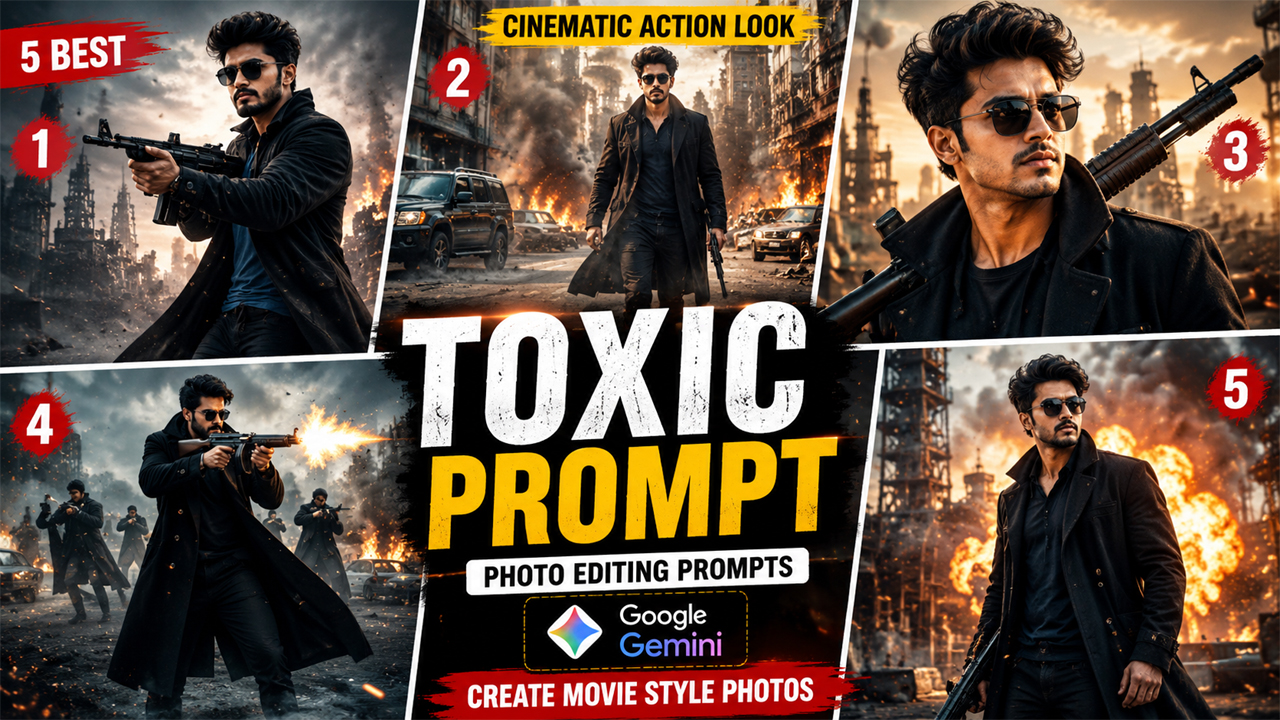
Photo 1 — Cinematic Action Hero
Photo 2 — Walking Action Scene
Photo 3 — Powerful Close-Up
Photo 4 — Full Cinematic Battle Scene
Photo 5 — Premium Poster Look
Overview
Toxic Movie Photo Editing Prompt for Google Gemini
AI photo editing has become a popular way to transform ordinary pictures into professional-looking cinematic portraits. With Google Gemini, you can upload your own photograph and use a detailed editing prompt to create a dramatic movie-inspired look without needing advanced Photoshop skills.
The Toxic Movie Photo Editing Prompt is designed for people who want to give their existing photo a stylish, cinematic appearance inspired by the visual atmosphere of the movie Toxic. Instead of creating a completely artificial person, the prompt instructs Gemini to use your uploaded photograph as the primary reference and maintain your facial identity.
The goal is to create a photograph that looks like it was captured during a professional movie photoshoot—with realistic skin texture, natural lighting, detailed clothing, cinematic depth and a premium background.
One important part of this prompt is the lighting. The background should not be excessively dark. A balanced cinematic environment with visible details, soft highlights and natural shadows produces a much more realistic result.
Why Try This Gemini Photo Editing Prompt?
A normal selfie can look completely different after applying a carefully written AI editing prompt. Instead of simply adding a filter, Gemini can modify the environment, outfit, lighting and overall composition while keeping the main subject recognizable.
This prompt focuses on:
Realistic facial details
Natural skin texture
Cinematic lighting
Premium movie-style composition
Detailed background
Realistic clothing
Natural shadows
Professional color grading
Sharp facial focus
High-quality photographic details
The result should feel like a professionally photographed cinematic portrait rather than an obviously AI-generated image.
How to Get a More Realistic Result
The quality of your original photograph can make a significant difference.
Use a High-Resolution Photo
Start with the clearest image you have. A sharp face gives Gemini more useful visual information.
Keep Your Face Visible
Don't use a photo where sunglasses, hands, masks or other objects cover most of your face.
Use Natural Lighting
A photograph taken in normal daylight or soft indoor lighting can often produce better facial details than an extremely dark selfie.
Don't Overuse Effects
A cinematic photo doesn't need hundreds of visual effects. Realistic lighting, good composition and detailed surroundings usually create a better result.
Keep the Background Balanced
For this particular style, avoid completely black backgrounds. A visible environment with warm highlights and controlled shadows makes the image feel more like an actual movie photograph.
What Makes This Prompt Different?
Many AI photo prompts simply ask an image generator to create a "dark cinematic photo." The problem is that this can produce an image that looks artificial, overly dark or filled with unnecessary effects.
This prompt takes a different approach.
It specifically tells Gemini to preserve the uploaded person's identity while controlling several important elements of the final photograph.
Identity Preservation
The uploaded photograph remains the primary reference. This helps prevent the generated person from looking completely different.
Controlled Lighting
Instead of asking for an extremely dark cinematic scene, the prompt uses balanced lighting. The face remains visible while the environment retains a dramatic atmosphere.
Realistic Background
The background is intentionally described with visible architectural and environmental details. This prevents the result from becoming a simple black or blurry backdrop.
Natural Skin Texture
The prompt avoids the common plastic-looking AI face by requesting realistic skin texture and natural facial details.
Professional Composition
The framing, depth of field and lighting are described so the final image resembles a professional cinematic photograph.
Best Photo Ideas for This Prompt
You can experiment with different original photos to create different results.
Try using:
A casual outdoor portrait
A stylish shirt photo
A black outfit photograph
A street portrait
A travel photograph
A studio-style headshot
A simple selfie with good lighting
For the best result, choose a photograph where your face and upper body are clearly visible.
Final Thoughts
The Toxic Movie Photo Editing Prompt for Google Gemini is a simple way to experiment with a professional cinematic transformation using your own photograph. Instead of relying on heavy filters, the prompt focuses on realistic lighting, facial identity, clothing, background details and professional composition.
For the most convincing result, always begin with a clear photograph and avoid images with heavy blur or poor lighting. If Gemini makes the scene too dark, use the additional brightness instruction to bring back background and facial details.
The best AI-generated photo is usually not the one with the most effects. A natural face, realistic lighting, detailed environment and believable photography can create a much more impressive result.
Try the prompt with different photos and adjust the lighting, outfit and environment according to the type of cinematic portrait you want to create.
Image