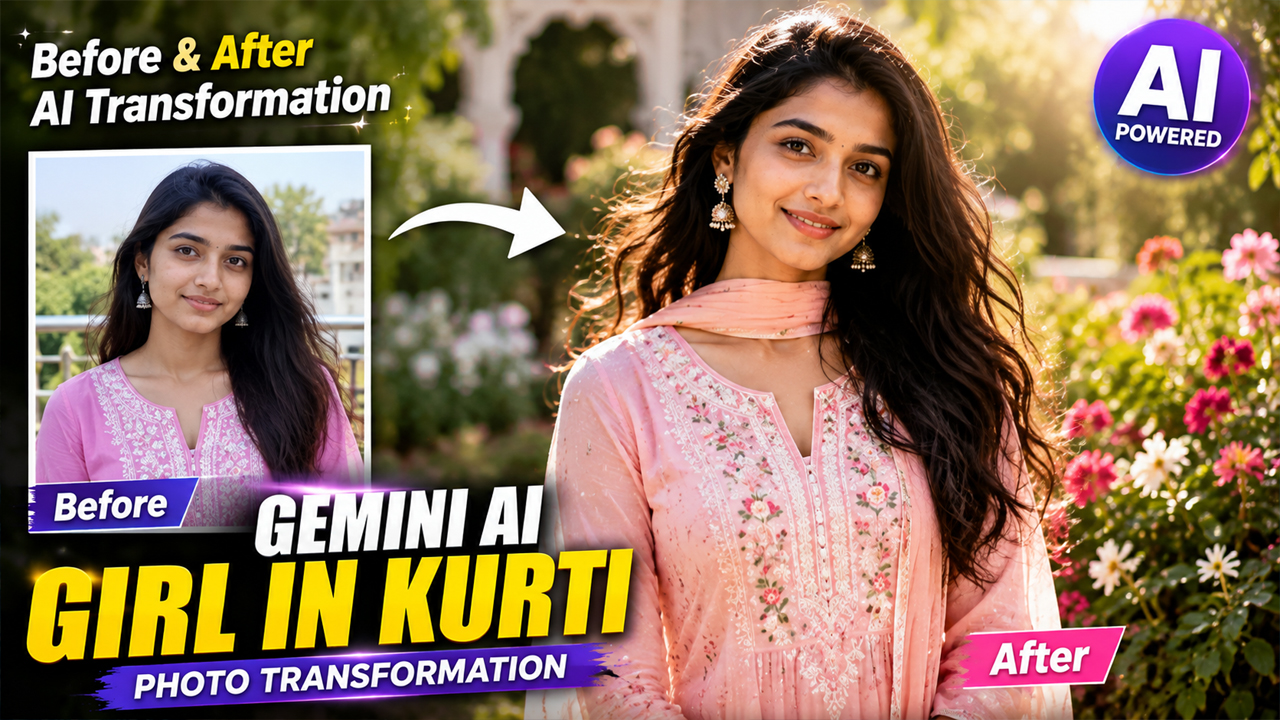
Trending Gemini AI Girl in Kurti Prompts That Hit Different
Prompt Variants (5 variants)
Prompt 1: Elegant White Kurti Garden Portrait
White kurti looks are always popular because they create a simple yet premium traditional vibe. The garden background gives a fresh and natural feeling without making the image look artificial.
Prompt 2: Royal Festive Kurti Look
This style is perfect for festive occasions like Diwali, Eid, family functions, and traditional celebrations.
Prompt 3: Casual Blue Kurti Street Style
Blue kurti with outdoor backgrounds gives a modern Instagram influencer style while keeping a traditional touch.
Prompt 4: Traditional Kurti With Dupatta Look
Dupatta adds movement and traditional beauty, making the AI-generated image look more like a real fashion photoshoot.
Prompt 5: Luxury Fashion Kurti Photoshoot
This prompt creates a high-end fashion look suitable for profile pictures, social media posts, and creative projects.
Overview
5 Trending Gemini AI Girl in Kurti Prompts That Hit Different
Introduction
Indian traditional fashion has always had a unique charm, and the elegance of a beautiful kurti look never goes out of style. Nowadays, AI image generators like Google Gemini are making it easier to create realistic fashion portraits without professional cameras or expensive photoshoots.
With the right AI prompt, you can transform a simple photo into a stunning traditional portrait featuring stylish kurtis, beautiful locations, natural expressions, and premium photography effects.
In this article, we are sharing 5 trending Gemini AI girl in kurti prompts that can help you create realistic, elegant, and Instagram-style AI portraits.
These prompts are designed to create:
Natural skin texture
Realistic facial details
Soft lighting
Beautiful backgrounds
Premium fashion photography style
How To Use Gemini AI Kurti Prompts
Follow these simple steps:
Open Google Gemini AI.
Upload your clear photo.
Copy any prompt from this article.
Paste it into Gemini.
Ask Gemini to create the image.
Try different outfits, colors, and backgrounds for unique results.
For better output:
Use a clear front-facing photo.
Choose good lighting.
Avoid blurry images.
Keep the face visible.
Tips To Make AI Kurti Photos More Realistic
✅ Use natural lighting in prompts
✅ Add DSLR photography keywords
✅ Mention realistic skin texture
✅ Use outdoor or bright indoor backgrounds
✅ Avoid too many artificial effects
✅ Keep expressions natural
FAQs
1. Can I create Kurti AI photos with my own face?
Yes, you can upload your photo in Gemini AI and use these prompts to create personalized traditional portraits.
2. Which Kurti colors look best in AI images?
White, blue, pastel, pink, green, and beige kurtis usually create elegant and realistic results.
3. Why does my AI image look fake?
AI images can look unrealistic if the prompt lacks details. Adding words like realistic skin texture, natural lighting, DSLR photography, and detailed fabric improves quality.
4. Can these prompts work on other AI image generators?
Yes, these prompts can also work with many AI image tools that support photo generation.
5. How can I make the background look natural?
Use bright locations like gardens, cafes, streets, terraces, or modern interiors instead of dark cinematic backgrounds.
Conclusion
Gemini AI has made traditional fashion photography easier than ever. With the right prompt, anyone can create beautiful kurti portraits with realistic details, stylish outfits, and attractive backgrounds.
These trending Gemini AI girl in kurti prompts are perfect for creating social media portraits, profile pictures, and creative AI photography ideas.
Try these prompts with your own photo and create a unique traditional AI look.
Image



