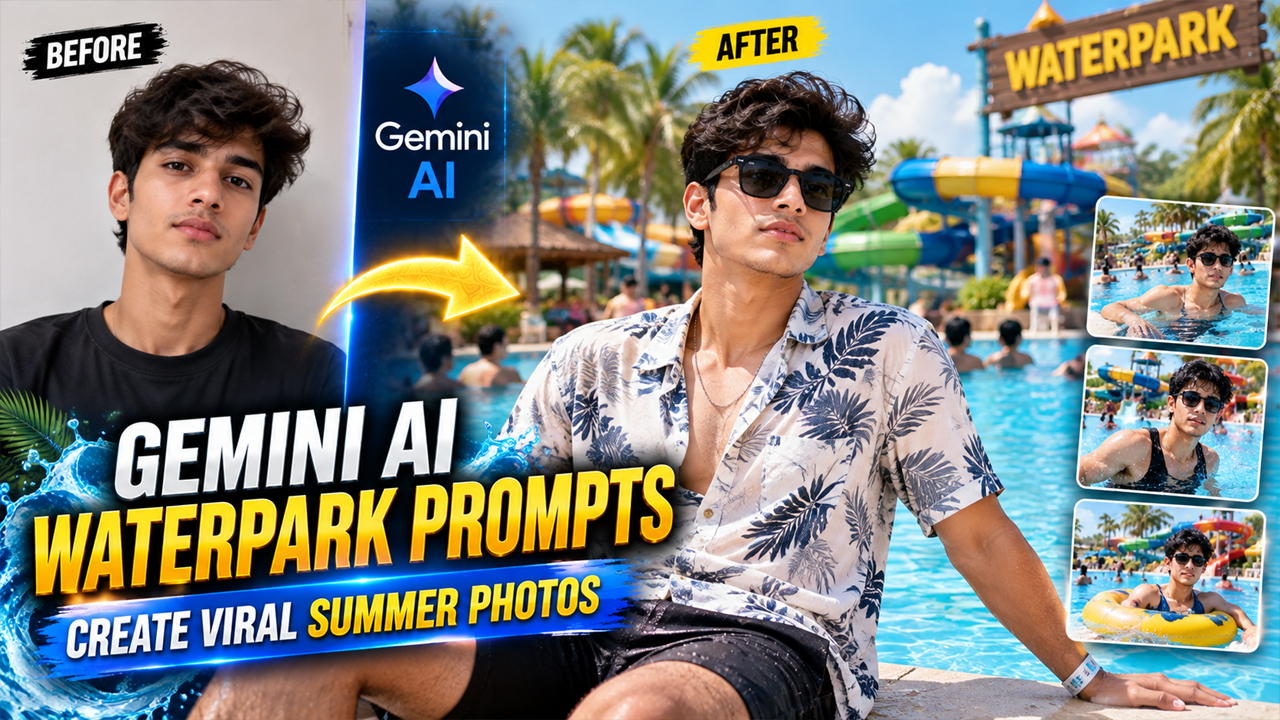
Viral Waterpark Photo Editing Prompts for Gemini AI
Prompt Variants (5 variants)
1. Luxury Waterpark Summer Vacation Photo Prompt
Best For: Instagram vacation photos Summer profile pictures Travel-style edits
2. Water Slide Adventure AI Photo Prompt
Photo Style: Realistic travel photography, 4K quality, natural daylight.
3. Poolside Luxury Waterpark Look Prompt
Avoid: Fake AI-looking background Extra people Overly bright effects Plastic skin texture
4. Friends Waterpark Fun Moment Prompt
The final image should look like a genuine holiday memory, not an AI-generated picture.
5. Cinematic Summer Waterpark Portrait Prompt
Make the background attractive and bright with a natural vacation feel.
Overview
5 Viral Waterpark Photo Editing Prompts for Gemini AI
Summer vacations, water adventures, and fun-filled pool moments are always popular on social media. Many people want to create attractive waterpark photos but don't always have the chance to visit luxury water parks or capture perfect pictures.
With the help of Google Gemini AI photo editing, you can now transform your normal photo into a realistic waterpark vacation image. You just need to upload your photo and use a well-written AI prompt to create a natural-looking result.
In this article, we are sharing 5 viral Waterpark Photo Editing Prompts for Gemini AI that can help you create stylish, realistic, and high-quality summer photos.
These prompts are designed to keep the image natural, with:
Realistic lighting
Natural water reflections
Beautiful backgrounds
Realistic skin tones
Professional photography style
How to Use These Gemini AI Waterpark Prompts
Follow these simple steps:
Open Google Gemini AI.
Select the image generation or photo editing option.
Upload your clear personal photo.
Copy any waterpark prompt from this article.
Paste the prompt in Gemini.
Generate your realistic AI photo.
Adjust the prompt if you want different outfits, locations, or styles.
For better results:
Use a clear front-facing photo.
Choose images with good lighting.
Avoid blurry pictures.
Upload a high-quality image.
Tips to Make AI Waterpark Photos More Realistic
1. Use Natural Lighting Prompts
Adding words like "natural sunlight", "realistic shadows", and "professional camera" helps AI create better results.
2. Avoid Over Editing
Too many effects can make the image look fake. Keep the prompt simple and realistic.
3. Mention Face Preservation
Always include instructions like "keep my face exactly the same" to maintain your identity.
4. Choose Good Background Details
A realistic waterpark needs:
Clear water
Natural plants
Realistic people distance
Proper sunlight
Frequently Asked Questions (FAQs)
1. Can Gemini AI create realistic waterpark photos?
Yes, Gemini AI can transform uploaded photos into realistic waterpark-style images using detailed photo editing prompts.
2. Do I need professional photography skills?
No. You only need a good quality photo and a properly written AI prompt.
3. Can I use these prompts for Instagram photos?
Yes, these prompts are perfect for creating Instagram, Facebook, and social media vacation-style images.
4. Why does my AI photo sometimes look fake?
AI images may look unrealistic if the prompt does not mention natural lighting, realistic textures, and original face preservation.
5. Can I change the waterpark background?
Yes, you can modify the prompt and add different locations, outfits, and summer themes.
Conclusion
Google Gemini AI makes it easy to create amazing vacation-style images without visiting expensive locations. With these Waterpark Photo Editing Prompts, you can transform your normal pictures into realistic summer adventure photos.
For the best results, always upload a clear photo and use prompts that focus on natural lighting, realistic backgrounds, and professional photography details.
Try these viral Gemini AI prompts today and create your own realistic waterpark memories.
Image



